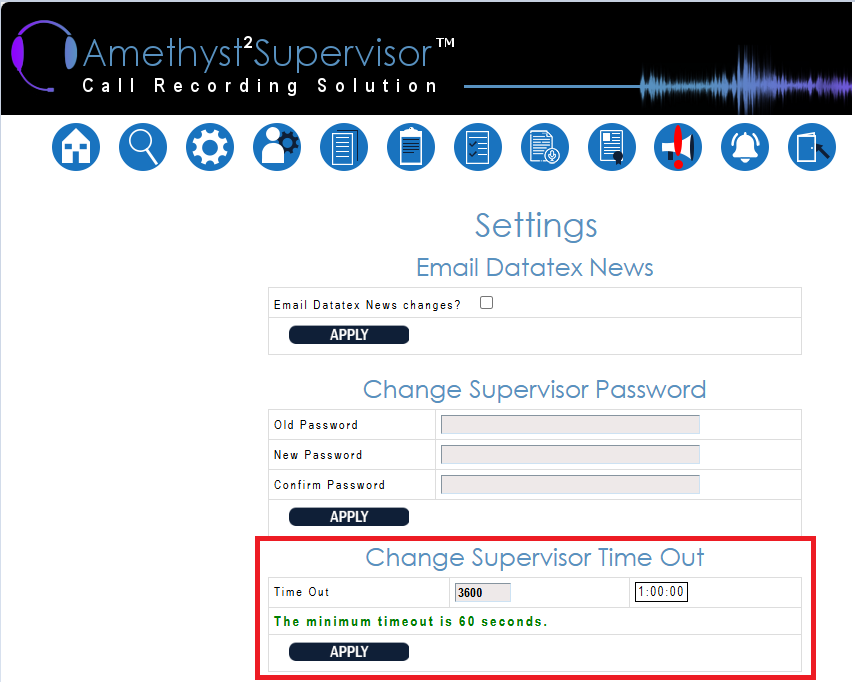
To ensure the supervisor does not logout while idle between tasks,
you can set the time out.
STEPS:
-
Log into Supervisor and click on the ‘Persona Supervisor Settings’ page - marked in RED:

NOTE: If this icon is not displayed then you do not have access. Contact the Administrative Supervisor to give access.
- Update the idle time out setting under ‘Change Supervisor Time Out’ and APPLY.