SCENARIOS:
- The AMETHYST Supervisor / iRecall login page is available. Login details are accepted, but then it is slow to show the next page.
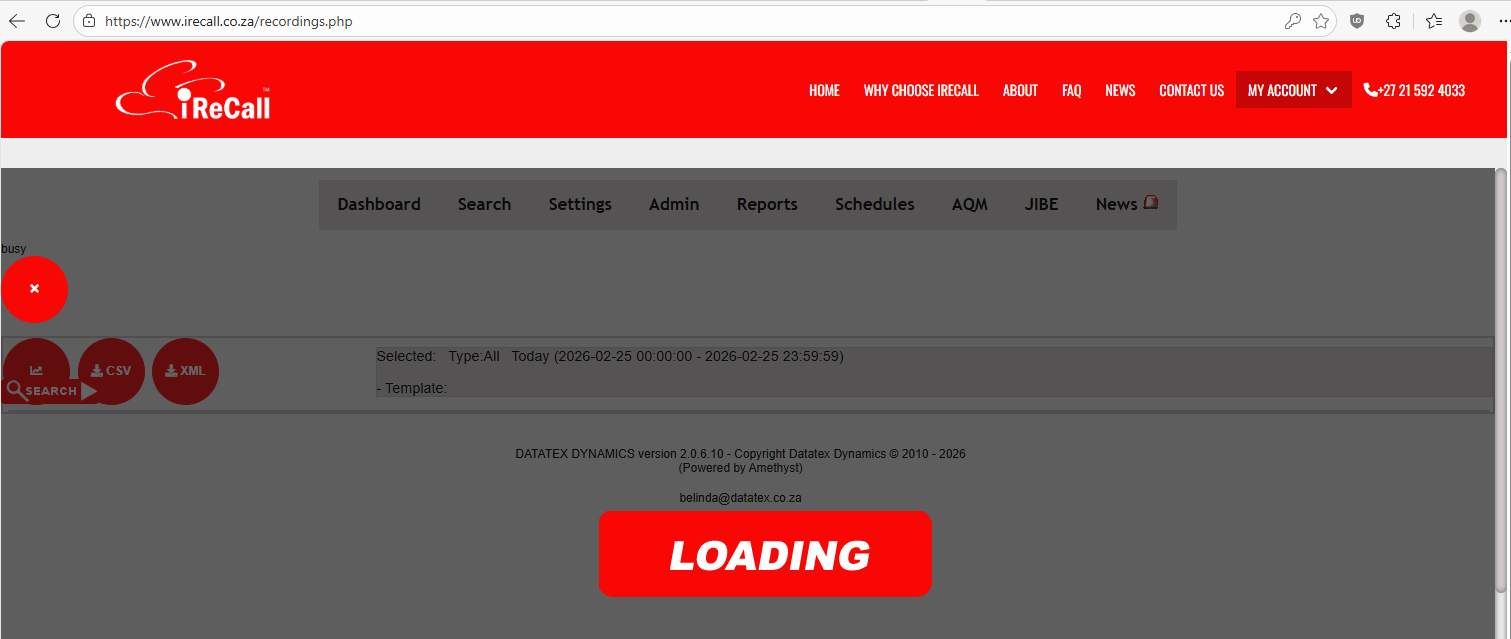
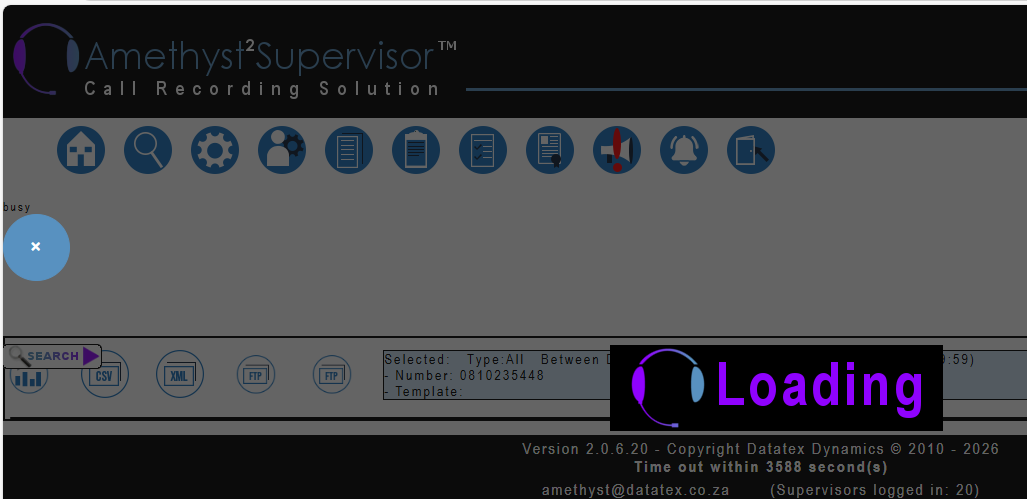
- When huge search is executed, it returns this message:

SUGGESTION:
If the landing page is set to SEARCH or if you select the SEARCH page, it will execute the last search done and display the result. If this is taking very long, there will be an option to stop that search - click on the X on the top left-hand side of the page.
To ensure the search is cleared, first click on the TODAY/RESET button to clear the search. The button is marked green in screenshot below.
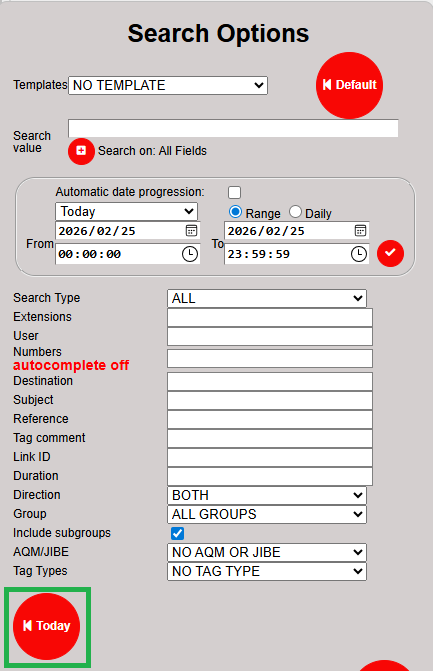
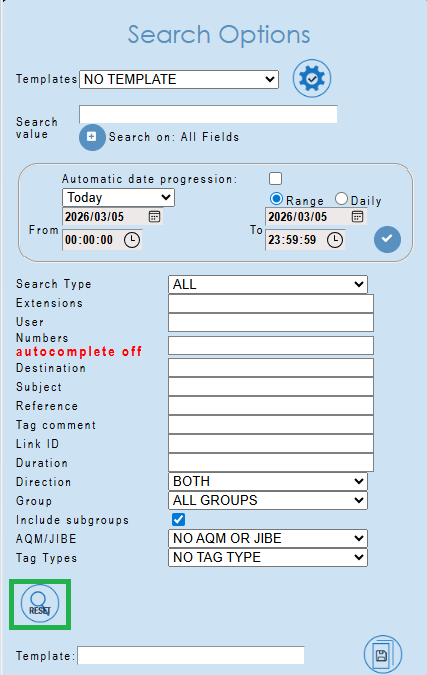
Now you can enter your new search details. Take care to not enter search criteria that will create a huge result to display. Rather split it into more than one search by using for example shorter date-time periods.
NOTE:
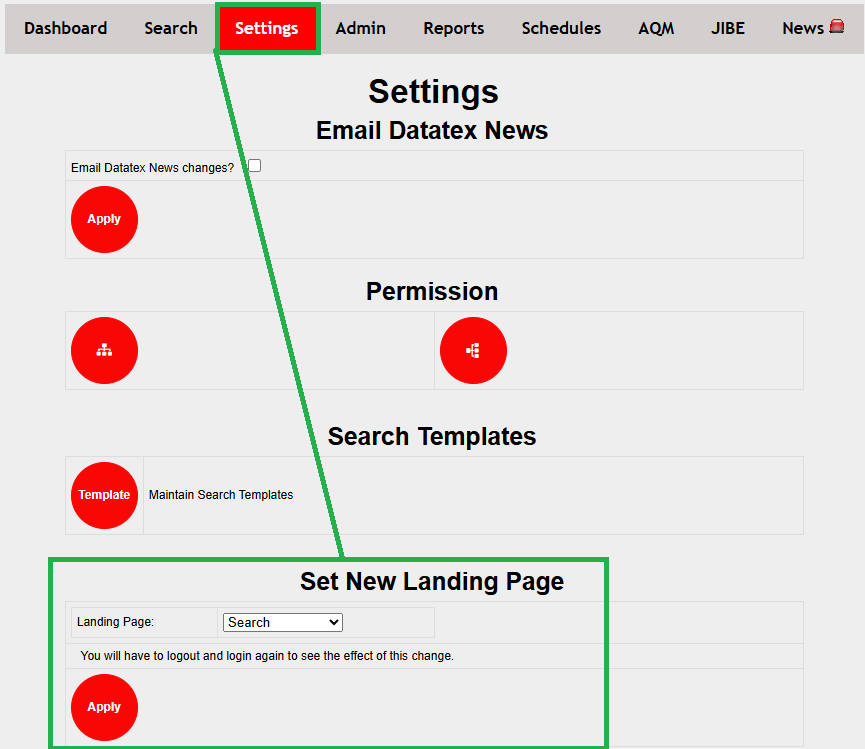
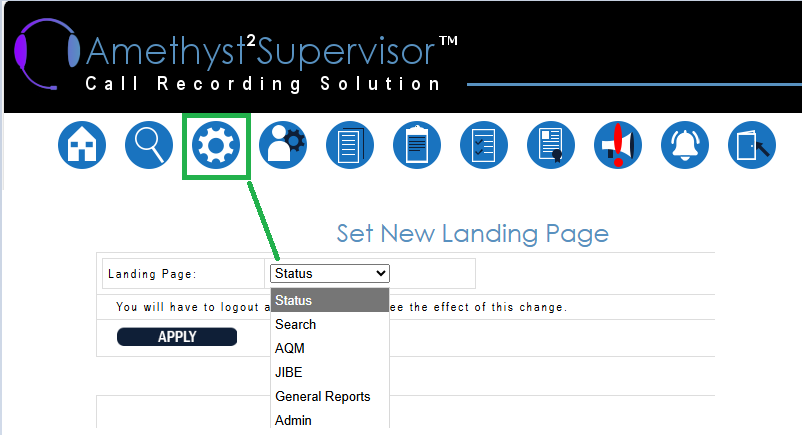
If the landing page is not set to SEARCH, you can set it under ‘Personal Supervisor Settings’.
You also have other options for the landing page to be set. The landing page is meant to be the option you usually go to first to save time. If you want to log in quick and then select SEARCH, you can for example set it to the REPORTS page, as it does not load anything (as per Dashboard and SEARCH pages).
RELATED TOPICS: