{Unreleased}
You will require the following versions of software:
Webadmin2 : 2.0.3.11
Supervisor2 : 2.x.x.x
Requirements for Microsoft setup:
Azure Admin portal access
App Registration permission
Configure a App for the Authentication
Microsoft Config
- Each SSO Application will have its own Azure app registration since the destination URL per app will be configured.
- The Configured Secrets has an expiry date and will have to be updated before they expire.
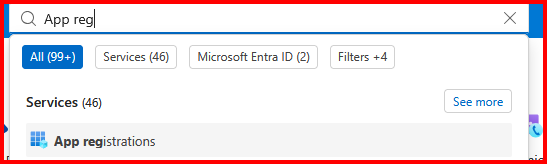
- Enter App Registration at the top of the Azure portal page
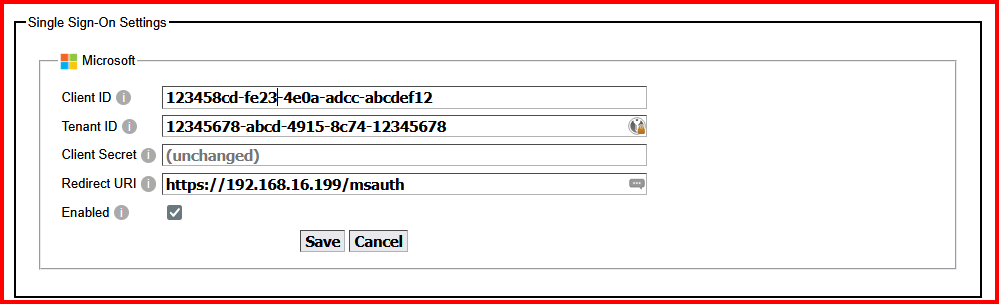
Webadmin Config
Supervisor Login
The Microsoft option will only be there if it is enabled o the webadmin.
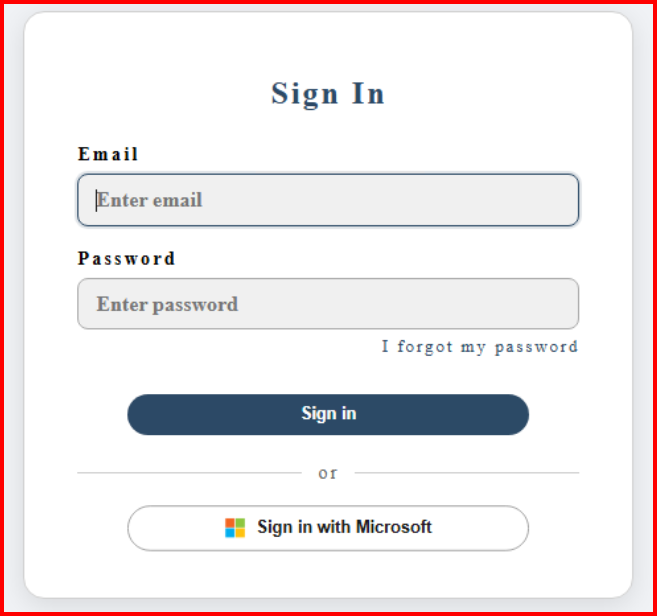
The Microsoft button will use your current logged in Microsoft account or prompt you to login with Microsoft.